
 That Guy
PATCH NOTES & HOT FIXES 1.3
Kanata Update • October 15, 2026
Everything since the 1.2 notes on October 14, including one fix that was already live. This update comes with a client patch, so close the game and let the launcher finish before you play.
Everyone gets a Scroll Satchel. Existing accounts find it in Storage (or in Duey, on the character you played last, if Storage was full). New characters outside the Chaos world get one if their account doesn't have one yet.
New: Scroll Satchel
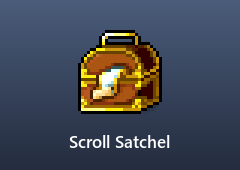
A bag just for scrolls, like the Gathering Bags are for ores.
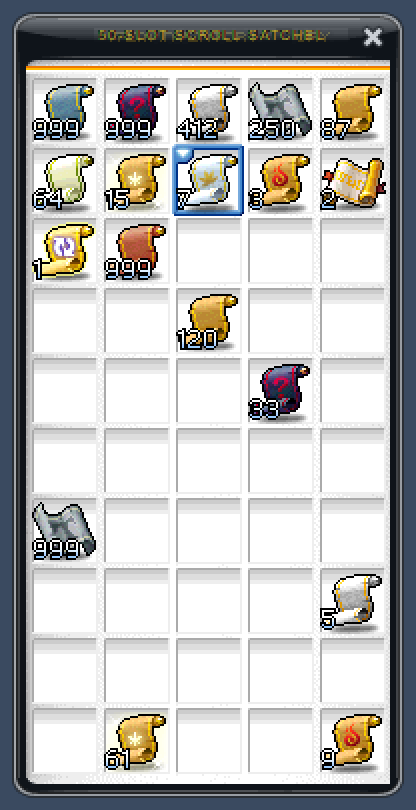
- 50 slots, and each slot stacks a scroll up to 999.
- Double-click it to open it. Drag scrolls in from your Use tab, and back out when you want to use them.
- Tradeable scrolls you pick up go straight in while it has room. Scrolls an active quest needs stay in your Use tab.
- It takes every scroll: upgrade scrolls, Chaos, White and Potential scrolls, Return Scrolls, SP Reset Scrolls and the rest. Cash, timed and Item Guard-locked scrolls can't go in.
- It moves between your characters through Storage. Take any untradeable scrolls out first: a satchel holding them can't be stored, so those scrolls stay with their character.
- It can't be traded, sold or dropped. One per account, and a character can carry one at a time.
Monster Book
The Monster Book got a full rework.
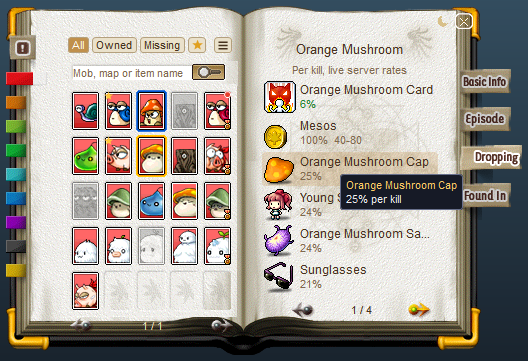
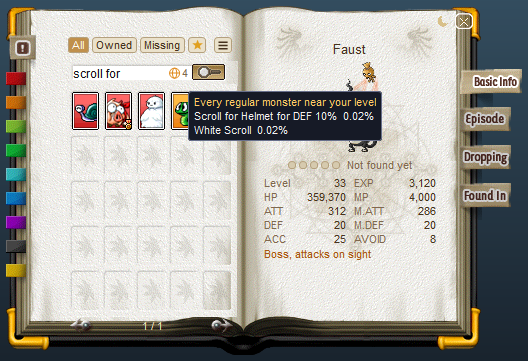
- Real drop chances. Every drop shows your chance per kill at the live rates, the same numbers as
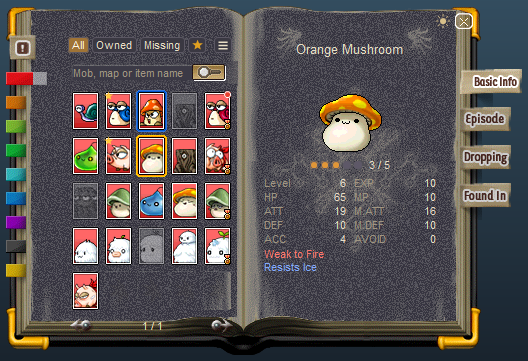
@drops: your class's gear, quest items, boss bonus drops and the global drops are all in. The book also tells you when a monster is too far below your level to drop items. - Every monster, collected or not: level, HP, EXP, weaknesses and resistances, its story, its drops and the maps it lives in. The map you're on is marked, and with a Hyper Teleport Rock you can press Go to teleport there.
- Search by monster, map or item. Type an item's name to see which monsters drop it, best chance first.
- Filters: All, Owned, Missing or Tracked, plus sorting, regions and bosses only. Right-click a card to track it; tracked cards get a star. New cards get a red dot, and their tab blinks until you open them.
- Medal progress counts your whole account's cards, the same way the medals do.
- Dark mode, a window you can drag anywhere, keyboard control, and it sizes properly with HD scaling.
Characters
Stats
- STR, DEX, INT and LUK now go up to 99,999 (it was 32,767). The stat window shows the real number past 32,767, and going past it no longer disconnects you.
- AP Reset now works on stats of 999 and above. Before, it wouldn't let you add to a stat that was already at 999 or more.
Universal Saddle

- The Universal Saddle now equips on its own. It used to ask for a normal saddle first.
Riding Through Dispel
- A monster's Dispel no longer takes away your mount, your Mechanic armor, the Battleship or the Jaguar.
- Mechanics hit by Dispel in Siege mode no longer freeze until they change maps. Pianus, Papulatus, Chaos Zakum, Horntail's Head B and Left Hand, and Ariel and Rex the Wise in the Pink Bean fight all cast Dispel.
Pets
- The Auto Sell and Item Ignore lists hold 50 items each (it was 20).
- Equips on your Auto Sell list sell the moment your pet picks them up, even when your Equip tab still has room. The pickup line shows the mesos you got. Other items still sell when their stack is full, like before.
Kanata Coins

- Kanata Coins now drop from 1 in 40,000 regular (non-boss) monster kills (it was 1 in 20,000), and always 1 coin (it was 1-2).
- The DP Shop exchanges a coin for 500 DP (it was 1,030).
Chat
- The chat now keeps your last 1,000 lines (it was 64), and Up/Down remembers your last 1,000 messages (it was 127).
HD Scaling
The scaler got a big round of fixes.
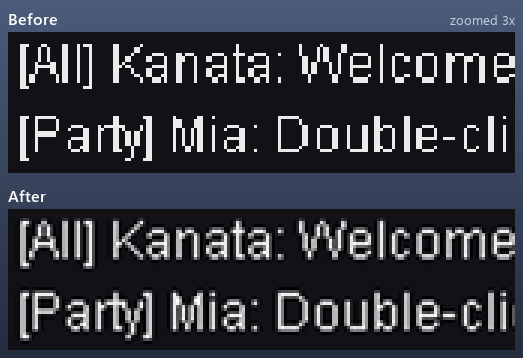
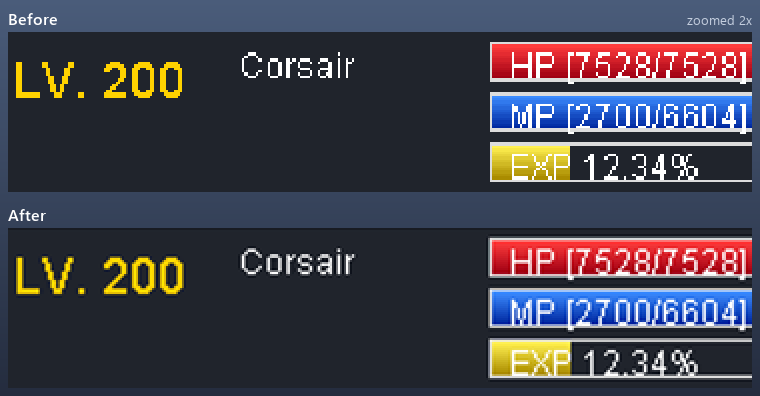
- The filters work now. On Windows 11 and some other PCs the scaler never ran its filters, so every setting looked the same and the picture looked blocky. Now each filter really changes the picture.
- New default if you never changed an HD scaling setting in F10: Bicubic (Catmull-Rom) with Low sharpening. It's smooth and keeps text sharp. If you changed any HD scaling setting before, your filter stays as it was; pick Bicubic (Catmull-Rom) under F10 > HD scaling to try it.
- The cursor reaches the whole window in every mode and size, with HD scaling on or off, in a window, borderless or fullscreen, the login screen included.
- Bigger resolutions: 2560x1080, 2560x1440, 3440x1440 and 3840x2160 are in the list. With HD scaling on, a size bigger than your screen is shrunk to fit instead of being cut off.
- One clean resolution list, with no doubles and no "custom" entry. It scrolls when it's long.
- Map fades, fear effects, the black bars, scrolling notices and fireworks now cover the whole screen at big resolutions, and event popups and typing suggestions use the whole screen instead of the old 800x600 area.
- With HD scaling on, screenshots work on every monitor and come out full size.
- Window sizes are exact at 125% to 200% Windows scaling, and on a monitor with a different scaling than your main one.
- The cursor no longer gets stuck inside the old picture area in fullscreen. (live since October 14)
Bug Fixes
- Transformations: being transformed no longer floods the chat with "Unavailable while transforming...".
- Snowball (GM event): when time runs out, the team that knocked more off the other team's snowman now wins. It was the other way round.
- Sharenian (Guild Quest): Sharen III's Will shows its hint properly. It had a "?" in it.
- Gathering Bags: fixed a rare saving problem when moving items in and out of a bag.